How to Add Weather to Apple Calendar (Free, No App)
Apple Calendar doesn't show the weather. Google Calendar dropped its weather years ago. So I built ClimoCal: a free calendar you subscribe to once, and every day shows the forecast.
Get ClimoCal here: pick your calendar app, tap your city, done.
01What's new in the October 2026 update
New: 110 cities. Up from 8, with search. Canada, the US, Latin America, Europe, the Middle East, Africa, Asia and Oceania.
New: typical weather a year ahead. Past the 16-day forecast, every day shows the usual high and low for that date, marked ≈, out to 12 months. It's the 10-year average, so in October you can see what a March shoot day usually looks like.
New: one-click Google Calendar and Outlook. Pick your calendar app on the page and your city opens straight in it. No copying links.
Improved: rain chance and sunrise. Days with a 40% or higher chance of rain show it in the title. Tap any day for wind, UV, sunrise and sunset.
Improved: °F and mph for US cities. Everywhere else stays °C and km/h.
Fixed: daily updates. A GitHub setting paused the daily refresh last winter. It runs every morning again, and it now resets that setting itself so it can't pause again.
02What it looks like
Each day gets one all-day event:
☀️ 22°C/15°C: the forecast, 16 days out
🌧️ 18°C/12°C 💧70%: a 40%+ chance of rain
≈ 24°C/15°C: typical weather for that date, past day 16
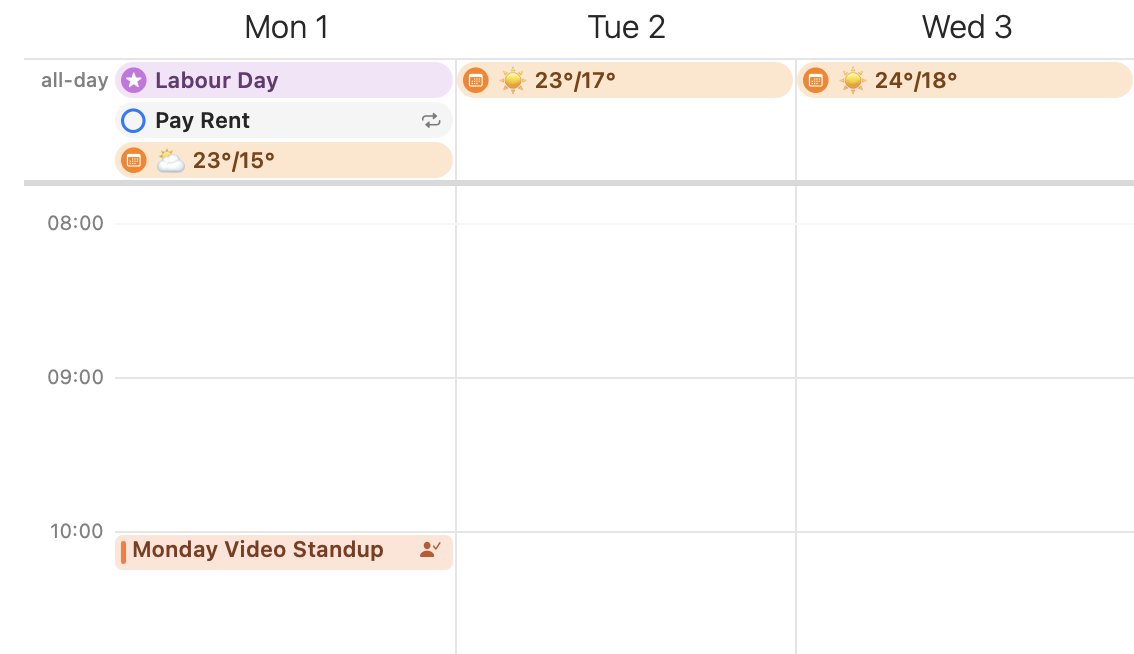
The events are marked free, so they never block your schedule, and they come with no alerts.
03How to add weather to Apple Calendar
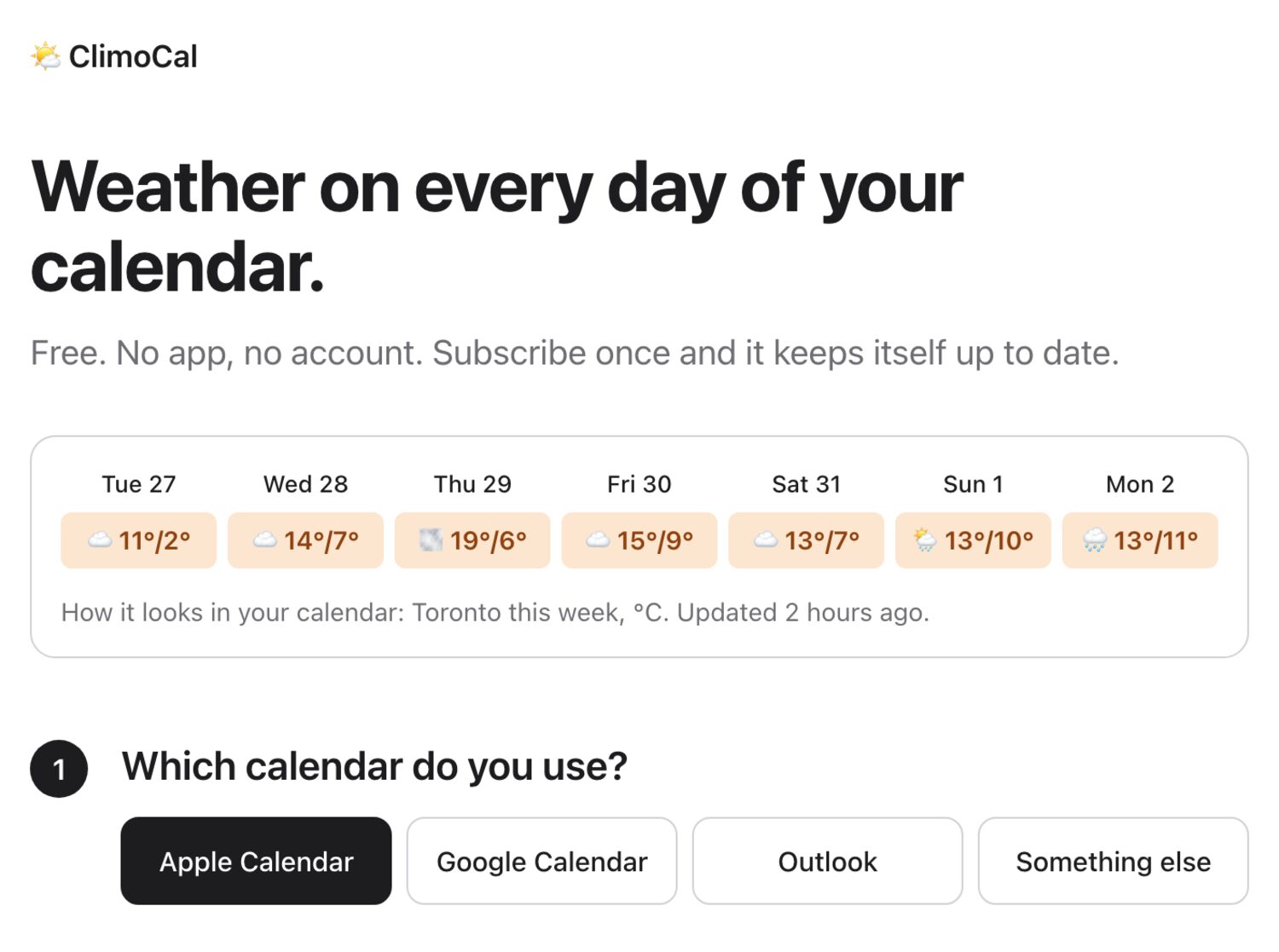
On iPhone or iPad:
- Open climocal.johnnyhockin.com in Safari
- Choose Apple Calendar
- Tap your city
- Tap Subscribe
On a Mac:
- Open climocal.johnnyhockin.com
- Choose Apple Calendar and click your city
- Calendar opens. Click Subscribe
- Set Auto-refresh to Every day, and pick iCloud as the location so it shows on your iPhone too
- Click OK
04How to add weather to Google Calendar
- On a computer, open ClimoCal and choose Google Calendar
- Click your city
- Google Calendar opens and asks to add it. Click Add
It syncs to the Google Calendar app on your phone. Google refreshes subscribed calendars on its own schedule, usually about once a day.
05How to add weather to Outlook
- Open ClimoCal and choose Outlook
- Click your city. Outlook on the web opens and asks you to confirm
For a work or school account, choose Something else to copy the link, then in Outlook go to Add calendar > Subscribe from web and paste it.
06Why I built this
I'm a film producer. We plan shoots months ahead, and weather decides a lot: exteriors, rain covers, whether to push the day. I wanted to glance at next Tuesday in my calendar and see if it's going to rain, without opening another app.
The first version covered the next 16 days. What I wanted most was further out, so this update adds typical weather for every day of the next year.
07The technical bit
Forecasts come from Open-Meteo (no API key). Typical weather is the 10-year average for each date from ERA5 climate data. A GitHub Action rebuilds every city's calendar each morning and publishes it on GitHub Pages, so it costs nothing to run. The code is open on GitHub.
City missing, or something broken? DM me on Instagram and I'll sort it out.
Q.Frequently Asked Questions
Can Apple Calendar show the weather?
Not on its own. It only shows weather for events that have a location, and only close to the day. Subscribe to a weather calendar like ClimoCal and every day shows the forecast, then typical weather out to a year.
How do I add weather to my iPhone calendar?
Open climocal.johnnyhockin.com in Safari, choose Apple Calendar, tap your city, then tap Subscribe. To get it on every device, add it on a Mac and pick iCloud as the location.
How do I add weather to Google Calendar?
On a computer, open ClimoCal, choose Google Calendar and click your city. Google Calendar opens and asks to add it. It then syncs to the Google Calendar app on your phone.
Does it work with Outlook?
Yes. Choose Outlook on ClimoCal and click your city to subscribe in Outlook on the web. For a work or school account, copy the link and use Add calendar > Subscribe from web.
What does ≈ mean on some days?
Past the 16-day forecast, each day shows typical weather for that date: the 10-year average high and low. It's marked ≈ so you never mistake it for a forecast. The real forecast replaces it about 16 days out.
Is it really free?
Yes. No account, no ads, no tracking. It runs on GitHub's free tier with free weather data from Open-Meteo.
How do I remove it?
Unsubscribe like any calendar. On a Mac, right-click the calendar and choose Unsubscribe. On iPhone, go to Calendars, tap the info button next to it and tap Delete Calendar. In Google Calendar, open its settings and remove it.